The Best Guitar Apps
Updated: September 2026
When I first wrote this article nearly a decade ago, there were only a handful of guitar apps to put on a list of the best ones. I decided to completely rewrite this post from scratch, and in doing so, tried out over 50 apps before whittling them down to what you’ll read about below.
My selections include things like metronomes and tuners, to full lesson platforms that’ll all make you a better guitar player. It's been fun seeing which apps from my original post held up nearly a decade later. I also cut one category altogether: amp and FX emulator apps. That's a topic that deserves its own post, and for this roundup I wanted to focus on things that’d move the needle for your playing. I've moved away from phone-based tone apps myself, these days I'm playing through a physical amp, or reaching for hardware like Fractal and Neural DSP, or plugins when I'm at the computer.
This is a living post that I plan to change over time. I'll keep updating it as apps change, improve, or don’t get the development work they need. If you're a developer with an app you think belongs here, reach out through my contact form. I'm always looking to try new things, and I've got a newsletter full of readers who are more than happy to weigh in with feedback.
One more thing before we look at the best apps - you'll see affiliate links sprinkled throughout this post (although there aren’t many). I don't run ads on Chasing Sound, so if an app looks like something you'd use anyway, using my link costs you nothing extra and helps me keep writing posts like this one. I only recommend apps I'd genuinely tell a student to download, affiliate or not, so you won't find anything on this list I don't actually believe in.
Alright, without further ado, let's get into the apps I reach for every time I pick up a guitar.
Time to Tune Up
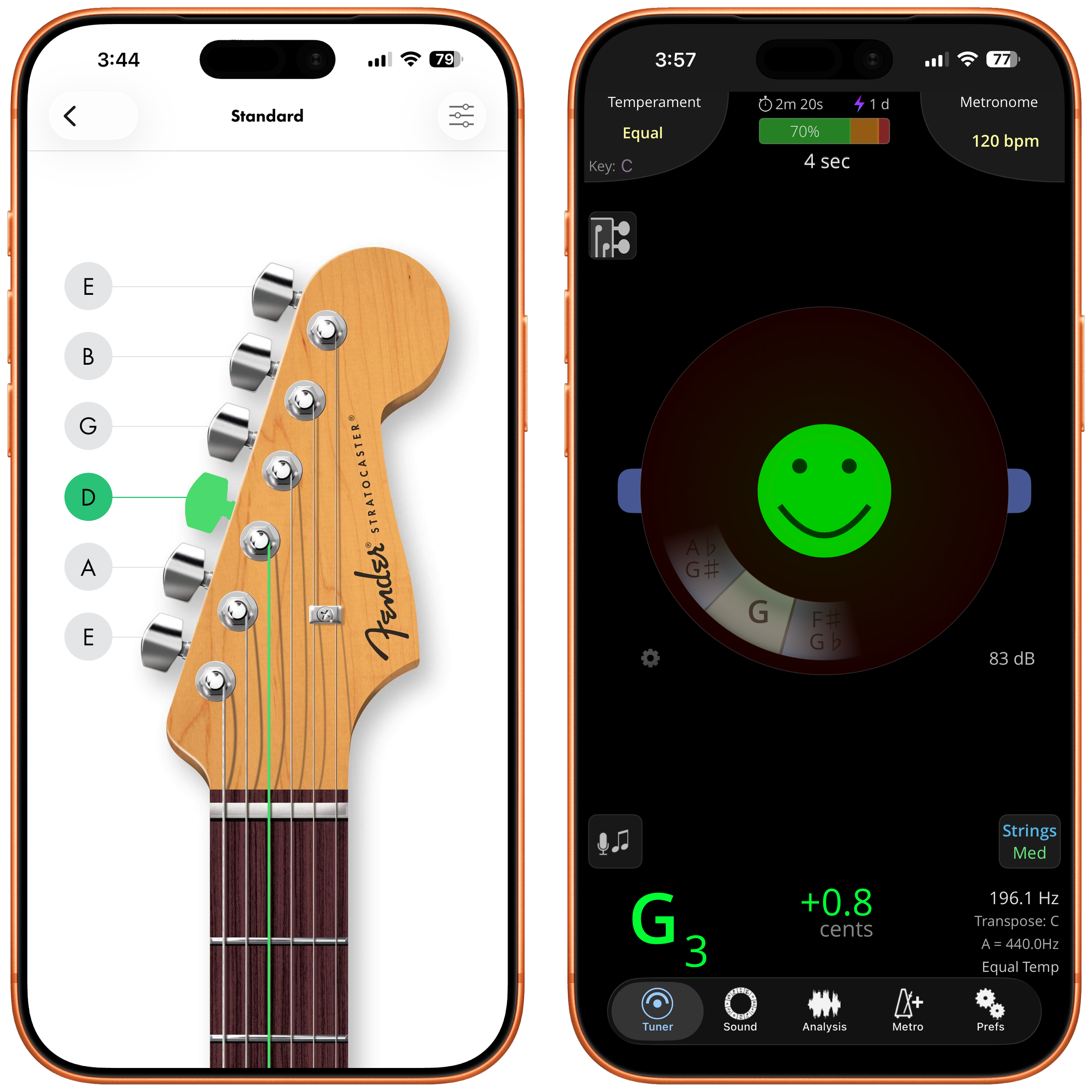
Fender Tune - I’ve been using Fender’s Tune app since it was released. It’s evolved over the years to be a full platform with a chord/scale dictionary, metronome and even songs to learn, but I’ve always used it simply for its tuner (which is free). You can choose to automatically tune or manually tune, and as long as your device's mic can pick you up clearly it’s quite accurate. It has options for guitar, bass, uke, alternate tunings and more.
Tonal Energy - The only other app-based tuner I’ll reach for, and it’s because I love the interface and all the different things you can tweak. This app can tune anything from guitar to wind instruments, voice, you name it. Its accuracy is incredible, and it also includes things like a metronome, pitch wheel, and an analysis screen that lets you really geek out over pitch. This one’s a paid app, but worth every dollar.
Getting In Time
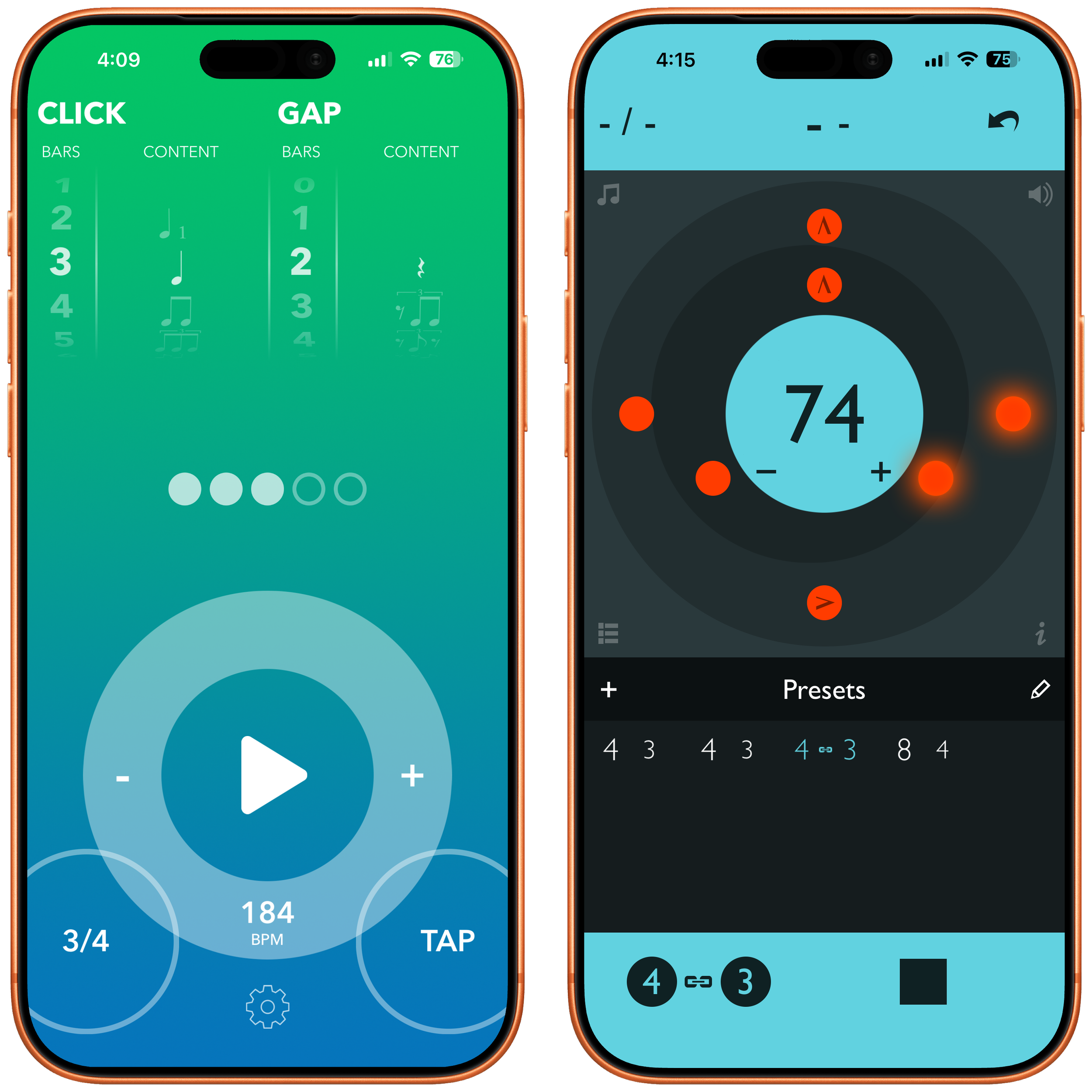
Time Guru - This one I’ve been using since the first iteration of this post! Time Guru is a straightforward metronome with one important twist. You set a percentage, and it'll randomly mute beats, forcing your internal clock to keep time. The interface is pretty barebones, but with a metronome the important thing is that it “just works”. Other things I like about this metronome are that you can change the click sound, use tap tempo, and if you’re trying to get up to speed on a phrase, the app allows you to ramp up BPM over time automatically.
Gap Click - If you want a more modern looking version of something like Time Guru, you should check out Gap Click by drummer Benny Greb. Greb has been an amazingly innovative drummer, and when he announced he was shipping his own metronome app, I instantly bought it. Gap Click also has a mute feature, but also lets you drop odd rhythms into the gap. I like the easy way you can alter the BPM by dragging the circle on its interface - the feedback had me reminiscing about old clickwheel iPods.
Tempo Advance - Where the other metronomes here focus more on muting the click and touch on odd rhythms as just one feature, Tempo Advance is more about complex rhythmic work. It's endorsed by Mike Mangini, who's played drums for everyone from Dream Theater to Steve Vai. True polyrhythms are the focus, and you can build out full setlists of tempos and time signatures to structure an entire practice session or set around. If your practice routine needs something a little more complex, this is the metronome for you.
Slowing Down and Making Practice Easy
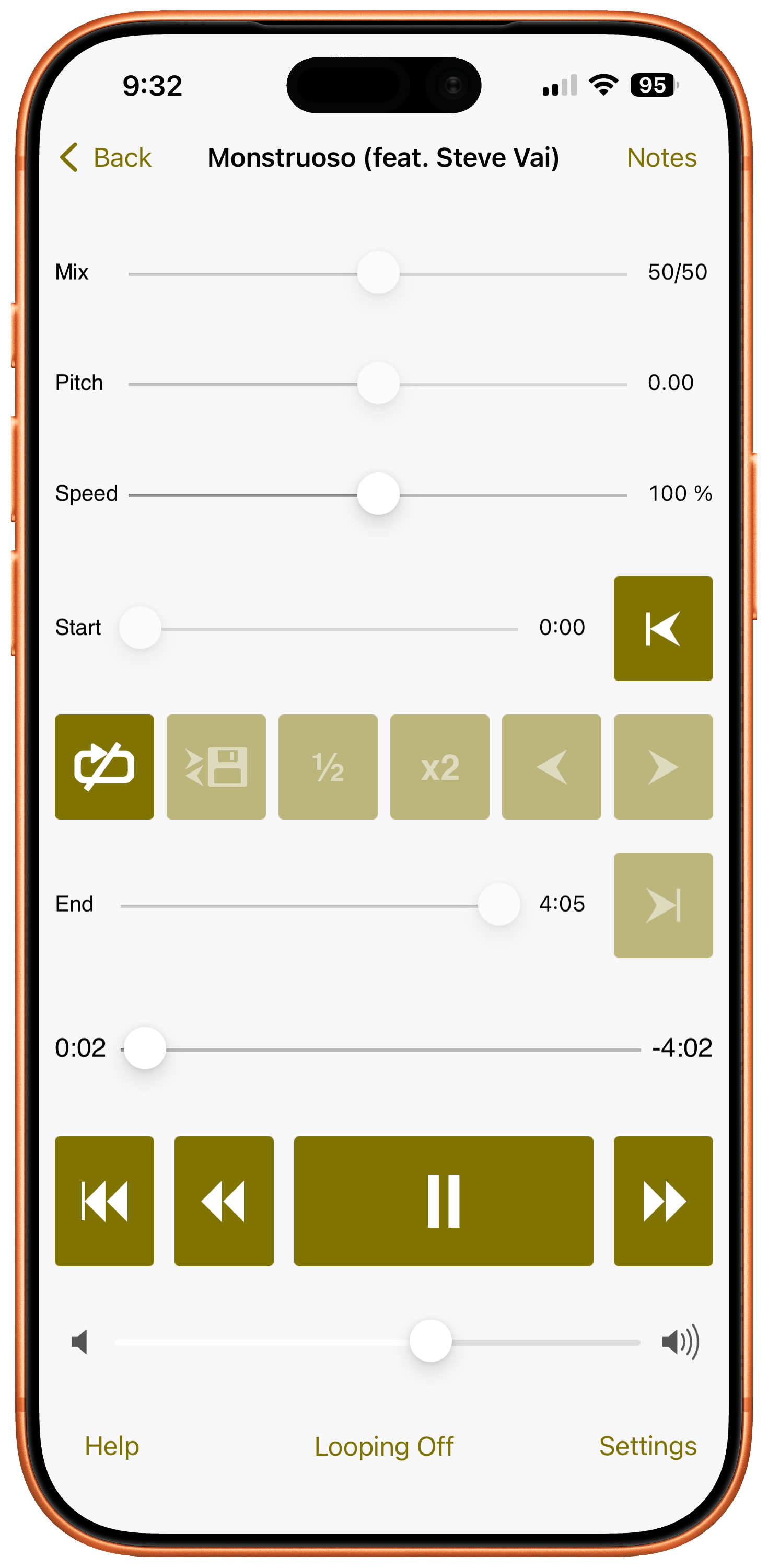
Amazing Slow Downer - Being able to slow down music without changing the pitch is one of the easiest ways to learn tough licks. On my Mac I use Transcribe! for this workflow, but on iOS and iPadOS I use the Amazing Slow Downer. ASD has been around for ages, and it's built dedicated support for streaming straight from Apple Music, no downloading songs first, which has made it a no-brainer for me. Beyond the core slow-down feature, you can loop tough sections of a song to drill them, and change the key without altering the timing at all. The one caveat worth knowing: pitch and key change only work on songs you've downloaded or imported locally, not ones you're streaming live, so if you want full control over a track, grab it first. Even with that limitation, ASD handles Apple Music better than most of its competitors, who don't support it at all.
Vidami - This is less an app and more of an extension for the Safari browser, but I wanted to include it because I believe in the hardware so much. The Vidami pedals work like a stomp box, letting you keep your hands on your guitar while you change speed, loop sections, jump back or forward, and start or stop playback on sites like YouTube. It also works inside your DAW and can flip pages on digital sheet music, so it's extremely useful. You can see my thoughts on the pedal and all it can do here.
Backing Tracks In Your Pocket
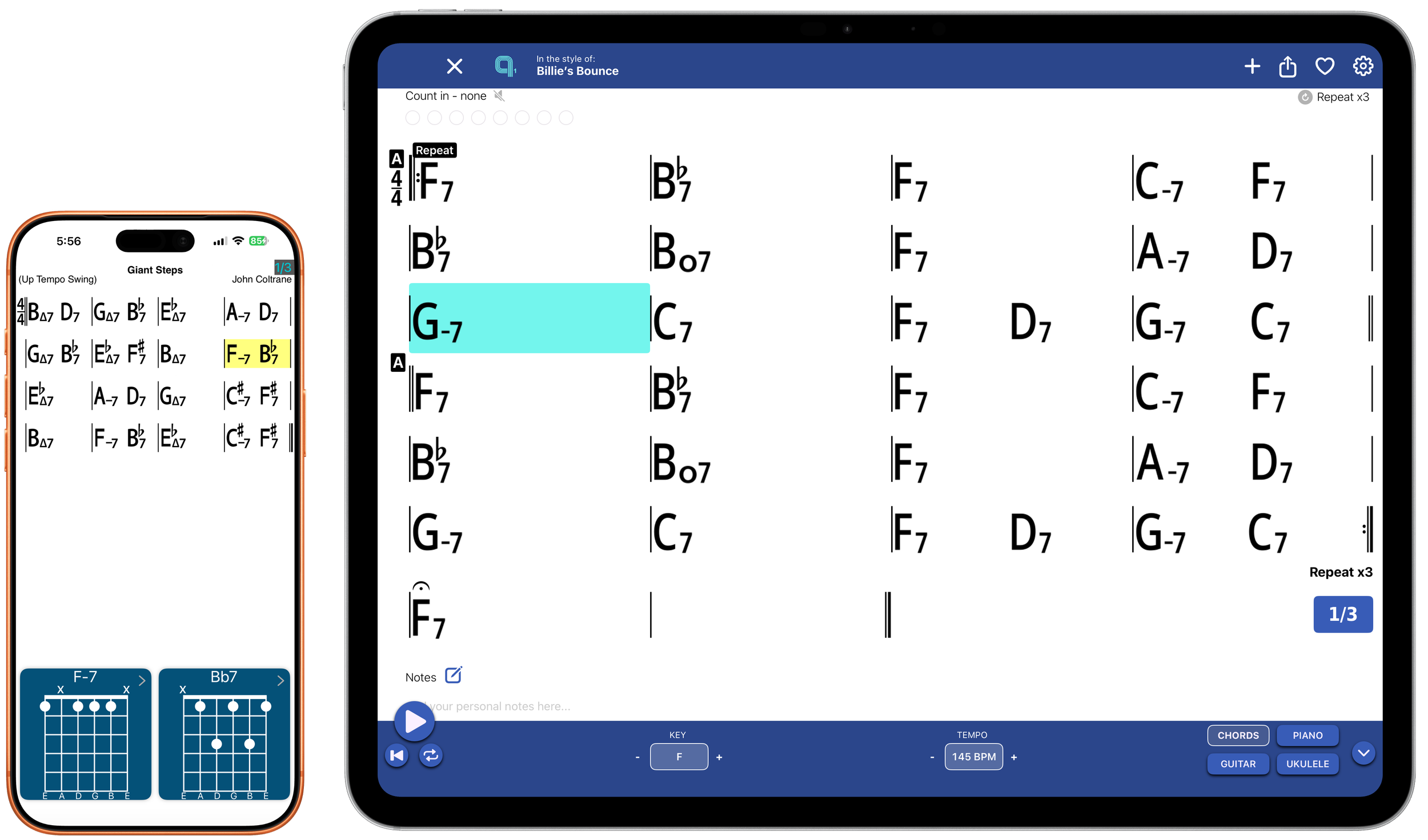
iRealPro - iRealPro has always been one of the best fakebooks on steroids in app form. It's got one of the best interfaces around for viewing chord charts, you can transpose on the fly, pull up a diagram for any chord you haven't learned yet, and build playlists of your favorite tunes. The real practice value comes from being able to ramp the tempo up gradually or shift keys as you go, so you can work a song up to speed and get comfortable playing it in more than one key.
Quartet - When I first heard about Quartet’s suite of apps I asked, how is this any different than other play along apps out there? I’m so glad I investigated these apps further, because I can’t get enough of how well they’re done. The Quartet ecosystem consists of multiple apps that feature real musicians playing authentic standards for you to practice. You can adjust the tempos and key of the songs, and mix them to your liking. The app has multiple versions of each song, depending on how many players you want the track to have. At the time of this writing there are 6 different Quartet apps with different songs, but the brilliant thing is that you can search amongst the entire library, and pull up the song, no matter what volume of the app you’re in. Quartet builds on what makes iRealPro great, but having real musicians and the way the arrangements are done makes this app my pick of choice. Do yourself a favor and buy the full bundle!
Read, Write and Play
Tabs and Chords (Ultimate Guitar) - If you're a guitar player looking for tab, it's a given that you'll end up on Ultimate Guitar's site eventually. Their app puts nearly every song's tab in one place, with a handy autoplay feature you can lean on while practicing or even playing live. When you need a tab fast, this is the first place to check.
Songsterr - The other site that comes up regularly when you're searching for tabs is Songsterr. I don't use this app as often as Ultimate Guitar's, but what keeps me coming back is the way it highlights notes in real time as the song plays, so you're never guessing where you are in the tab. Every so often you'll find a song here that never made it onto Ultimate Guitar too, so it's worth keeping around as a backup.
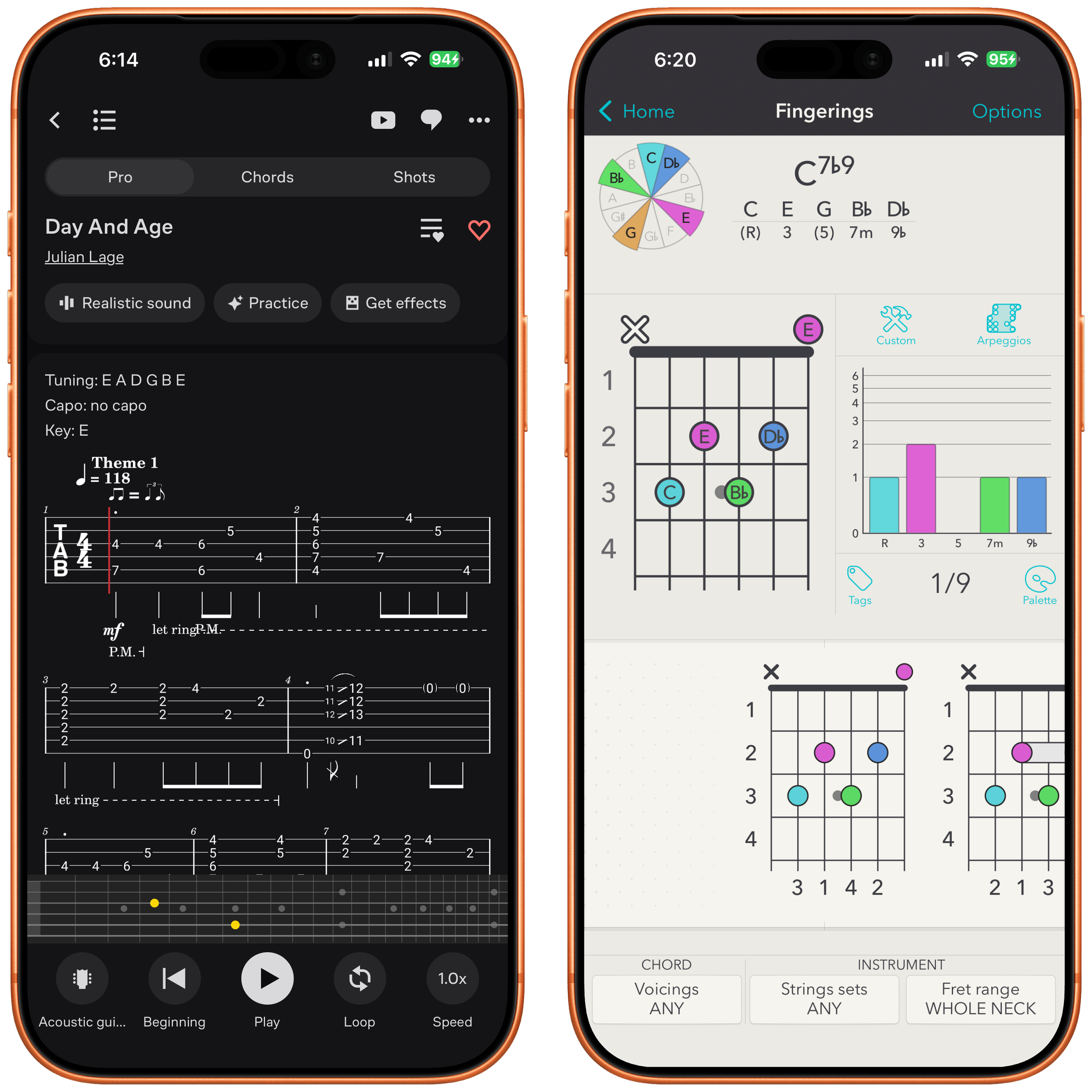
Chord! - This one’s a holdover from my original roundup of best apps. It hasn’t been updated in a while, but for an app like this, it really just needs to be accurate. If you remember any of the Guitar Grimoire series of books, Chord! is very similar to having a chord, scale, and tuning dictionary right in your pocket. You can build complex chords or scales you've never played before, use it as a quick reference tool, and more. This app is an invaluable resource for every type of player.
Guitar Pro - Guitar Pro is the industry standard for writing and transcribing guitar music. If you've ever bought a tab package online, there's a good chance a Guitar Pro file was included, that's how universal the format has become. On Mac, it's the tool I reach for every time I'm transcribing something from scratch. The iPhone and iPad version is more of a viewer and player than a full editor. You can make quick edits in a pinch, but the real editing horsepower still lives on the desktop. Where the mobile app earns its keep is playback: import a tab from your computer or grab one from their MySongBook service, and you've got a fantastic practice tool with you at all times. You can adjust tempos, loop difficult bars, and follow along with real notation, the same tools you'd want whether you're working out a solo note by note or just running through a song before a gig.
Flat - If you want a tab and notation app that feels genuinely built for iOS and iPad, not just ported over, check out Flat. It pairs tab and standard notation together in the same view, so you can write in whichever one you're comfortable with and see it reflected in the other. It also imports PDF, MIDI, and even Guitar Pro files, so you're not stuck starting from scratch. Flat runs across iPhone, iPad, Mac, and even the web. You can export files and check out their busy community sharing transcriptions done in the app. This one is perfect for students, teachers, and sharing ideas with other band members.
GuitarWiz - GuitarWiz is a multi-platform, all-in-one guitar app that even shows up on Apple Watch. It's got a tuner and metronome built in, but that's not why I reach for it. What keeps me interested is the way its chord library looks, the real-time feedback it gives you on your playing when you're on Mac, and how quickly you can put a song together, whether you're placing chords by hand or handing it your own written music and letting it convert that into chords for you. There's a reason this app won an Apple Design Award. Excited to see where it goes from here.
Train Your Ear and Understand the Fretboard
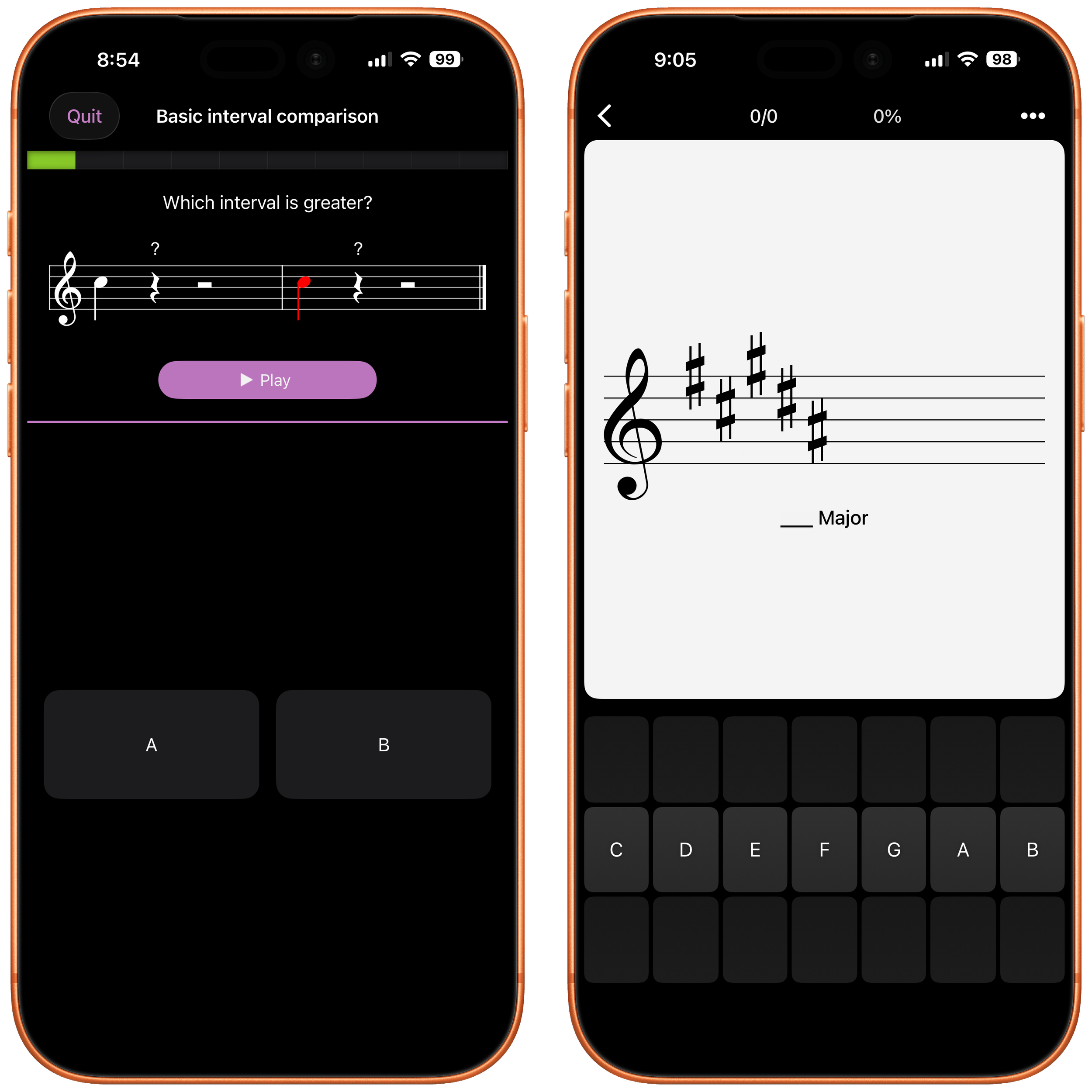
Solo - This is one of my favorite apps on the entire list. Built by Tom Quayle and David Beebee, Solo is the best tool I've used for fretboard visualization. The app listens as you play and challenges you to identify notes on the neck, work through intervals and scales on their own, and then recognize them within the context of real chord progressions, not just in isolation. Give it a few consistent weeks, and you'll notice it change how you actually see the fretboard, not just how you play on it.
Earpeggio - Being able to hear different intervals is essential to learning songs by ear and transcribing your favorite licks. There have been a lot of interval and ear training apps over the years, most come and go, but Earpeggio is the one that's stuck around and kept getting updated. It doesn't need to reinvent anything, it just does the job well, day after day, on intervals, melodies, and rhythms. Putting in the work here will always be worth your time.
Resolve - You already met Tom Quayle and David Beebee above with Solo, and Resolve is their other app that's earned a permanent spot on my devices. Their apps always come at learning from a fresh angle, and each one pairs with a full training course that walks you through the concepts behind it. Resolve is an interesting take on ear training: the app generates chords, some diatonic, some not, and challenges you to connect them purely by ear, with no chord names shown and no fretboard to lean on. That forces you to actually trust and develop what you're hearing instead of reading what’s in front of you. This one's more advanced, better suited for intermediate and advanced players than total beginners.
Tenuto / Theory Lessons - Knowing the “why” behind what you’re playing makes your life as a musician so much easier down the road. Some guitarists might be turned off by theory, but it never hurts to know more information about the musical language you’re passionate about. That’s why I love the apps Tenuto and Theory Lessons, which are app versions of musictheory.net. Theory Lessons is a mini masterclass in theory, while Tenuto focuses on putting what you learned in the previous app into play, with various exercises challenging you to identify notes, intervals, notes on the fretboard, key signatures and much more.
Acordle - Acordle is on this list because it’s a fun and educational game you can play, even if you don’t have your guitar at hand. When you open the app and start the game, you race to indicate where the notes should be on the fretboard for different chords. As you learn new chords, each one will show up in your collection with its own card - you can hear how the chord sounds, see the fretboard diagram and get some info on what you might want to know when playing it. A lot of these games come and go, so I hope this one continues to evolve over time.
Lesson Platforms That’ll Make You A Better Player
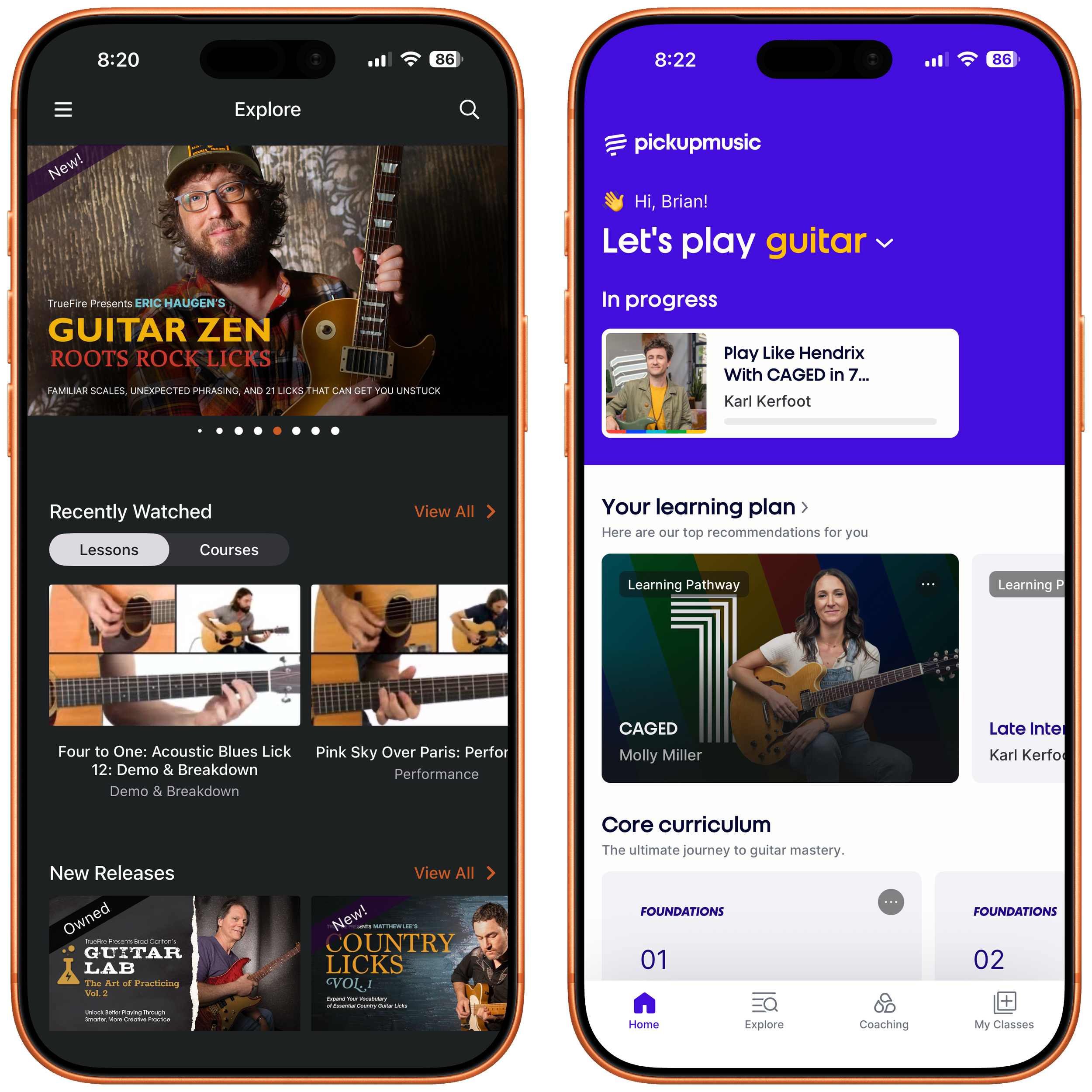
TrueFire - TrueFire is one of my favorite places to learn something new on gutiar. Their catalog is massive, and the lineup of teachers is what makes it so special. I can learn hybrid picking licks from Greg Koch, slide technique from Ariel Posen, acoustic phrases from Rob Swift, and CAGED concepts from Eric Haugen, all inside one app. Lessons run from total beginner to advanced, across every genre you could want to dig into. The app itself matches the quality of the content: you can view tab in real time alongside the lesson video, slow down or speed up playback without losing pitch, switch between real audio and MIDI instruments, loop tricky sections, and follow along on a guitar fretboard or piano display. There are a ton of other features the app has too. Their In The Jam series lets you play along with real bands and mix the track to your liking, complete with behind-the-scenes commentary that's taught me as much as the lessons themselves. If you check out one app from this whole list, make it this one, and my affiliate link helps support Chasing Sound at no cost to you
Pickup Music - Pickup Music initially caught my eye because it had lessons I couldn't find anywhere else. Their teachers are top notch, but I have to call out one series that was monumental for me, the CAGED lessons from Molly Miller. Pickup Music's lessons make difficult topics easy to understand, backed by accompanying materials you'll find yourself referring back to for years. Whether you want to dig into a specific concept, study a player's style, or follow a structured Pathway from the ground up, these are great lessons. Give it a look using my affiliate link, which costs you nothing extra and helps keep Chasing Sound running.
Gibson App - A lot of lesson apps teach you songs "in the style of," which can leave you wanting the real deal. Gibson is one of the best guitar apps because it does something almost nobody else in this space does consistently: they get real songs from real artists, everything from B.B. King and Tom Petty to Clapton and Santana, with full backing tracks built around the real arrangements, not something generic. Gibson has always worked with legendary players, so it makes sense they'd bring that same vibe into the app. You don't have to guess where things are in the app's interface, it's straightforward whether you're brand new or you've been playing for years. The feedback is where the app really shines. Play a note or chord wrong, and it knows immediately, no waiting until the end of a phrase to find out you missed it. If you've ever wanted to actually play a song you love, note for note, with something telling you the second you're off, this is the app built for exactly that. Check out the app, and consider using my affiliate link to help support Chasing Sound at no additional cost to you.
Even More Great Apps Worth Knowing About
Strum- Strum lets you paste in songs from YouTube or your own music collection and generates the chords for you. Once it's done, a handy practice function lets you change the timing of the song and loop tough sections.
Guitar Interval (Ear Trainer) / Guitar Sight (Reading Trainer) / Read Rhythm (Rhythm Sight Reading Trainer)- Three straightforward practice apps from Rolfs Apps that focus on reading rhythms, sight reading notes, and practicing intervals.
Metric Flow - A bit of an oddball among the three Tom Quayle apps in this post, but a fun one I wanted to give a nod to. I've used it mostly to spark new rhythmic ideas: set a time signature, and the app generates different rhythms to work with. It's a simple interface, but I love how easy it is to see the rhythms it generates.
No Cover Charge- From Tyler Larson and Jared James Nichols, the guys behind the No Cover Charge podcast, this app combines great lessons, backing tracks, licks to inspire you, and even a marketplace to pick up gear.
GuitarTuna-Another great all-in-one tool for guitarists, disguised as a humble tuner. It also has songs to practice along with, a metronome, other practice tools, lessons, and more.
Chordz-A super helpful pocket reference for CAGED chord shapes all over the fretboard. You can learn standard major and minor chords, 7ths, and other extension chords too. Pair this with Chord! above and you'll have every chord you need covered.
Staventabs-A sheet music and tablature editor with a genuinely nice design. I don't use this as much as some of the other transcription apps on this list, but I'll be trying to work it into my iPad workflow more going forward..
What’s Your Favorite Guitar App?
The apps above are some of my favorites to learn and practice guitar. They'll help you become a better player, and at the same time open up your playing vocabulary. What's your favorite guitar app? Let me know by jumping into the comments on the newsletter.